
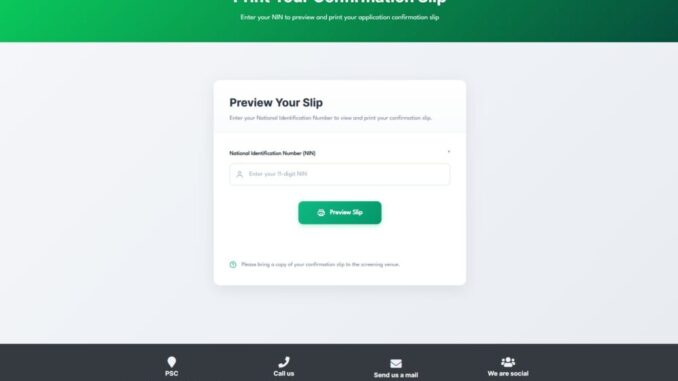
NPF Print Slip Download: The Complete Guide to Securing Your 2026 Recruitment Invitation
For thousands of aspiring officers across Nigeria, the NPF print slip download is currently the most critical task on their to-do list. As of April 24, 2026, the Nigeria Police Force (NPF) recruitment exercise has shifted into its most decisive phase: the Computer-Based Test (CBT).
If you applied for the position of Constable (General Duty or Specialist), your ability to access, save, and print your official invitation slip is the only thing standing between you and the examination hall. This guide provides a comprehensive, SEO-optimized walkthrough on how to navigate the portal, troubleshoot common errors, and ensure you are ready for the exams scheduled for late April 2026.
Why the NPF Print Slip Download is Mandatory
The NPF print slip download is not just a digital receipt; it is your official “Gate Pass”. Following the conclusion of the physical and credential screenings on April 18, 2026, the Police Service Commission (PSC) has issued these new slips to verify your eligibility for the aptitude test.
Without a physical copy of this slip, you will be denied entry to the CBT center. The slip contains high-stakes information, including:
-
Your Unique Application Number: Essential for logging into the exam terminal.
-
Assigned CBT Center: The specific venue in your state of origin or residence where you must appear.
-
Examination Date: Your specific slot between April 28 and April 30, 2026.
-
Batch and Time: To ensure orderly accreditation, candidates are divided into morning and afternoon sessions.
Step-by-Step: How to Perform Your NPF Print Slip Download
The PSC has streamlined the recruitment portal to handle the surge of traffic as the April 24th download window opens. Follow these steps to secure your document:
1. Visit the Official Recruitment Portal
The only authorized website for the NPF print slip download is https://npfapplication.psc.gov.ng. Avoid searching for “NPF slip” on Google and clicking on random blogs, as these can lead to phishing sites designed to steal your National Identification Number (NIN).
2. Log In to Your Candidate Dashboard
On the homepage, look for the login section. You will need:
-
The Email Address or Phone Number used during your initial registration in January.
-
Your secure Password.
3. Locate the ‘Print Examination Slip’ Tab
Once your dashboard loads, a prominent notification or a dedicated button labeled “Print Examination Slip” or “Download Invitation Card” will be visible. This feature became active on Friday, April 24, 2026.
4. Save as PDF Before Printing
Before hitting the print button, select “Save as PDF” on your device. This ensures you have a digital backup in case you lose the physical copy or need to reprint it at a business center later.
5. Physical Printing Requirements
Ensure the printout is clear and legible. A blurry slip may prevent officials from verifying your details or scanning your QR code (if applicable) at the venue.
Essential Requirements for the CBT Center
A successful NPF print slip download is only half the battle. On your assigned exam day (April 28–30), you must present the following at the accreditation desk:
-
The Printed Invitation Slip: The physical copy of your download.
-
NIN Slip: Your original National Identification Number slip from NIMC.
-
Writing Materials: A pen is required for signing the attendance register.
-
Specific Dress Code: Candidates must appear in white shorts, a white T-shirt, and white canvas shoes. Failure to dress in all-white will lead to immediate disqualification.
Troubleshooting NPF Print Slip Download Errors
Many candidates encounter technical hurdles during this high-pressure period. Here is how to handle the most common issues:
“Invitation Letter Not Found”
If you successfully passed the physical screening (marked “QUALIFIED”) but cannot see your slip, do not panic. The PSC recommends forwarding your original submission slip to INFO@PSC.GOV.NG or contacting the support team at support@psc.gov.ng for immediate resolution.
Forgotten Password
Use the “Forgot Password” link on the portal login page. A reset link will be sent to your registered email address. If you no longer have access to that email, you may need to visit the nearest Police Command Headquarters for administrative assistance.
Slow Portal Loading
Because thousands of users are attempting the NPF print slip download simultaneously, the server may lag. The best times to access the portal are “off-peak” hours—typically between 12:00 AM and 5:00 AM.
Anti-Scam Warning for 2026 Applicants
The Police Service Commission (PSC) and the Nigeria Police Force have issued a stern warning regarding recruitment fraud.
-
The Process is FREE: At no point should you pay anyone for the NPF print slip download or for a “guaranteed” spot on the shortlist.
-
Official Channels Only: No PSC official will call you to ask for money or your Bank Verification Number (BVN).
-
Electronic Devices: Do NOT bring mobile phones, smartwatches, or calculators to the CBT center. Possession of these items will be treated as examination malpractice.
Final Summary for April 2026 Candidates
| Milestone | Detail |
| Official Portal | npfapplication.psc.gov.ng |
| Download Start Date | Friday, April 24, 2026 |
| CBT Exam Window | April 28 – April 30, 2026 |
| Mandatory Documents | Print Slip, NIN Slip |
| Dress Code | All-white attire (Shirt, Shorts, Canvas) |
Securing your NPF print slip download is the final administrative hurdle before you prove your worth in the written exams. Log in early, save your PDF, and prepare thoroughly for your scheduled slot to join the next generation of Nigeria’s finest.
Be the first to comment