
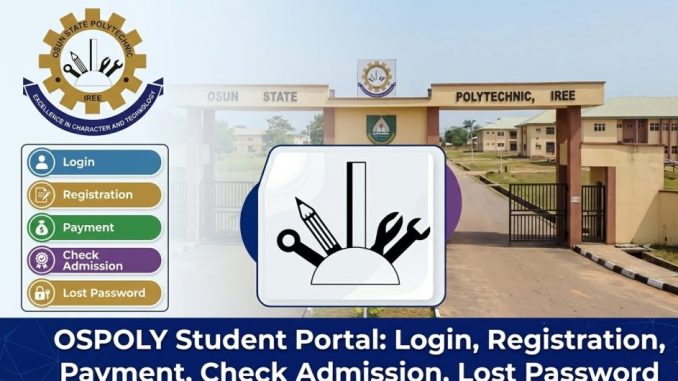
The OSPOLY Student Portal is the official online platform for students and applicants of the Osun State Polytechnic (OSPOLY), Iree. The portal allows users to manage academic activities, including course registration, payment of fees, checking admission status, and updating personal information.
Many students and applicants search for the OSPOLY student portal to access various academic services online, saving time and effort compared to visiting campus offices.
You can read about NOUN eLearn Portal: SMS, Login, Registration, Payment, Check Admission, Lost Password before proceeding.
What Is the OSPOLY Student Portal and How Does It Work?
The OSPOLY Student Portal is a centralized digital platform designed to connect students with the administrative and academic services offered by the polytechnic. The portal stores student records and links them to various university departments, enabling seamless online transactions.
Once a student logs in, the portal displays the necessary services related to their academic journey, such as registration, fee payments, and result checking. It’s designed to streamline administrative functions and make student services more accessible.
The official portal can be accessed at:
Who Can Use the OSPOLY Student Portal?
The portal is designed for several groups of users, including:
- Prospective students checking admission status
- Newly admitted students completing registration
- Returning students managing course registrations
- Postgraduate students (if applicable)
- Faculty and administrative staff
Each group has specific access rights. For example, prospective students primarily use the portal to check admission status, while registered students access the portal for course registration and fee payment.
How Do You Log In to the OSPOLY Student Portal?
To access the portal, students must log in using their unique credentials. These details are usually provided after the student has completed the admission process or activated their account.
Follow these steps to log in:
- Visit the OSPOLY Student Portal
https://app.ospolyportal.com/ - Click Login
- Enter your Matriculation Number or Application Number
- Enter your Password
- Click Login
Once logged in, you will be able to view and manage your academic information such as registration status, payment details, and admission status.
Always log out after completing tasks, especially if you’re using a shared or public computer.
How Do New Students Register on the OSPOLY Portal?
Newly admitted students must complete their registration through the portal before they can begin their academic journey.
Here’s a full guide to the process:
- Admission Acceptance
Students confirm their admission through the portal and accept the offer made by the polytechnic. - Profile Activation
After accepting admission, students activate their account and fill in required personal details such as name, address, and emergency contacts. - Payment of Acceptance Fees
An invoice is generated on the portal for the payment of the acceptance fee. After payment, students can proceed with further registration. - Course Registration
Students choose their courses for the semester. This is done according to the course catalog provided by the department. - Completion of Bio-data
Students must complete their bio-data, including personal identification details, emergency contacts, and other necessary information.
After completing these steps, students are officially recorded in the university system and can proceed with academic activities.
How Do You Pay School Fees on the OSPOLY Portal?
The portal provides an easy way for students to pay their school fees and any other relevant charges.
Here’s how you can make payments:
- Log into the OSPOLY Student Portal
- Navigate to the Payments section
- Generate your fee payment invoice
- Choose a payment method (bank transfer, online payment, etc.)
- Complete the payment
- Print your payment receipt for your records
Once payment is completed, the portal will update your fee status. Students should ensure they have proof of payment in case of verification.
How Do You Check OSPOLY Admission Status?
Prospective students who have applied to OSPOLY can use the portal to check their admission status.
To check:
- Visit the OSPOLY Portal
https://ospolyportal.com/ - Login your dashboard and locate/click on Admission Status
- Enter your Application Number or JAMB Registration Number
- Click Check Admission
The portal will show whether the applicant has been offered admission or is still pending.
Admitted candidates should proceed with the registration process as soon as possible.
What Should You Do If You Forget Your OSPOLY Portal Password?
Forgotten passwords are common, but the portal offers an easy solution to recover access.
Follow these steps:
- Visit the OSPOLY Portal login page
- Click
- Click Here To Reset Your Password
- Enter your Matriculation Number or Application Number
- Follow the password reset instructions sent to your email
- Create a new password
Once your password has been reset, you can log in to the portal using your new credentials.
What Common Problems Occur on the OSPOLY Student Portal?
Students may face occasional issues when using the portal. Common problems include:
- Login errors due to incorrect credentials
- Payment issues where fees may not reflect immediately
- Course registration errors such as selecting the wrong courses
- Portal downtime during scheduled maintenance
If problems persist, students should contact the ICT support unit or their department’s administration for assistance.
Is the OSPOLY Student Portal Safe for Students?
The OSPOLY Student Portal is a secure platform designed to protect student information. However, students must follow basic security precautions:
- Do not share login credentials
- Log out after using the portal
- Avoid using public computers for sensitive transactions
- Keep your email and password recovery details updated
By practicing these habits, students can ensure that their academic records remain safe.
Why the OSPOLY Student Portal Matters for Students
The OSPOLY Student Portal makes it easier for students to manage their academic tasks without needing to visit the university office. By handling everything online, students can:
- Register for courses
- Pay school fees
- Check admission status
- Update personal information
Mastering the portal ensures students stay organized and on top of their academic journey, avoiding unnecessary delays and complications.
Be the first to comment