
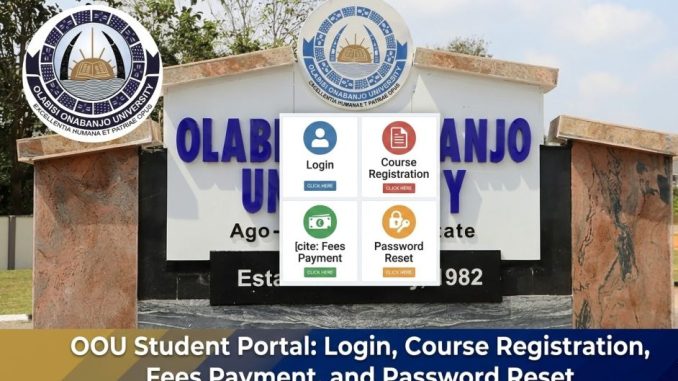

The OOU student portal is the official online platform used by Olabisi Onabanjo University (OOU) in Ago-Iwoye, Ogun State, to manage student academic activities. Through the portal, students can register courses, pay school fees, check results, update their profile, and access important academic services.
Many Nigerian students search for the portal because universities now manage most academic processes online, allowing students to complete registration and payments digitally without visiting administrative offices.
What Is the OOU Student Portal and How Does It Work?
The OOU student portal is an online academic management system developed by the university’s ICT team to support both new and returning students. It acts as a central platform where students can log in and access services related to their academic records and registration.
Students can access the portal here:
https://stdportal.oouagoiwoye.edu.ng/
Once logged in, the portal provides a dashboard where users can perform tasks such as:
- Paying acceptance fees
- Paying school fees
- Registering semester courses
- Checking results
- Updating personal profile
- Printing academic documents
The system allows students to complete many administrative tasks remotely using a phone or computer with internet access.
Who Can Use the OOU Student Portal?
The portal is designed for different categories of users within the university.
Common users include:
- Newly admitted students
- Returning undergraduate students
- Postgraduate students
- Applicants checking admission status
- University staff managing student records
Each user category may see slightly different features depending on their role in the university system.
For example, applicants may use the portal mainly to confirm admission or pay acceptance fees, while registered students use it for academic tasks like course registration.
How to Login to the OOU Student Portal
Students can log into the portal using their matriculation number and password.
Official student login page:
https://stdportal.oouagoiwoye.edu.ng/
The basic login steps are:
- Open the official OOU student portal.
- Enter your matriculation number.
- Enter your password.
- Click Login to access your dashboard.
For first-time users, the portal usually allows login using the student surname as the default password, which can later be changed for security.
After logging in successfully, students can access all academic services from their personal dashboard.
How Do New Students Register on the OOU Portal?
Newly admitted students must activate their portal accounts before using university services.
The process usually includes the following steps.
Step 1: Confirm Admission
Students first confirm their admission status through the university admission portal.
Admission status check page:
https://portal.oouagoiwoye.edu.ng/admission/login.php
Applicants normally log in using their JAMB registration number and surname to verify admission.
Step 2: Pay Acceptance Fee
Once admission is confirmed, students must generate an invoice and pay the acceptance fee through the university payment portal.
Payment portal:
https://payments.oouagoiwoye.edu.ng/
Payment confirmation activates the student record in the university system.
Step 3: Create Student Profile
Students then log into the student portal and complete their profile information, including:
- Full name
- Date of birth
- State of origin
- Contact details
- Next of kin information
These records form part of the official university database.
Step 4: Upload Required Documents
Some documents may be required during the registration process, such as:
- Admission letter
- Passport photograph
- Educational certificates
- Identification documents
Once these steps are completed, the student account becomes fully active.
How Do Students Register Courses on the OOU Portal?
Course registration is one of the most important functions of the OOU student portal.
Students normally complete course registration at the start of every semester.
The process typically involves:
- Logging into the portal
- Opening the course registration section
- Selecting the current academic session
- Choosing required and elective courses
- Submitting the registration form
- Printing the course registration slip
Students should carefully review their selected courses before submitting the form.
Incorrect course selection may delay graduation or require approval from the academic department to correct.
How Do Students Pay School Fees Through the OOU Portal?
The portal allows students to generate invoices and pay university fees online.
Typical steps include:
- Log into the student portal
- Select school fees payment
- Generate a payment invoice
- Proceed to the payment gateway
- Complete payment using available payment methods
- Print the payment receipt
The university payment system also allows students to track transactions using their payment reference number.
Students should always print or save copies of payment receipts for future reference.
How Do Students Check Results on the OOU Portal?
Students can monitor their academic performance through the portal once results are released.
To check results:
- Log into the portal
- Navigate to the results section
- Select the academic session
- Choose the semester
- View or print results
The portal usually displays information such as:
- Course titles
- Credit units
- Grades
- Grade points
- GPA and cumulative GPA
If students notice any errors in their results, they should report the issue to their department or faculty office.
What Services Are Available on the OOU Student Portal?
The OOU student portal provides several academic and administrative services.
Common features include:
Acceptance Fee Payment
New students can generate invoices and pay acceptance fees.
School Fee Payment
Students can pay tuition and other charges through the payment system.
Course Registration
Students select their courses for each semester.
Result Checking
The portal allows students to view their academic results.
Admission Services
Applicants can confirm admission status and print admission documents.
Hostel Accommodation
Students may apply for hostel accommodation through the portal.
These services help students complete important academic tasks without visiting university offices.
What Are Common OOU Portal Problems and How Can They Be Fixed?
Students sometimes experience issues when using the portal, especially during busy registration periods.
Common problems include:
Login Errors
Incorrect login credentials often cause login failure. Using the password reset option usually solves this problem.
Slow Portal Access
Heavy traffic during registration deadlines may slow down the portal. Accessing the portal during less busy hours may improve speed.
Payment Issues
Network interruptions may cause incomplete payments. Students should check payment history before attempting another transaction.
Course Registration Errors
Students who mistakenly select incorrect courses may need assistance from their department to correct the registration.
If problems continue, the university ICT support team can provide help.
Is the OOU Student Portal Safe for Students?
University portals store sensitive academic and personal information, so security is important.
Students should take simple precautions when using the portal.
Recommended practices include:
- Using strong passwords
- Avoiding login on public computers
- Logging out after each session
- Keeping personal login details private
Universities also implement system security measures to protect student records and transactions.
How Do Students Know They Are Using the Official OOU Portal?
Students should always confirm that they are using the correct university website before entering login details.
The official student portal is:
https://stdportal.oouagoiwoye.edu.ng/ Using unofficial websites can expose personal data or lead to incorrect information.
By accessing the official portal and keeping their account updated, students can manage their academic activities smoothly at Olabisi Onabanjo University.


Be the first to comment