
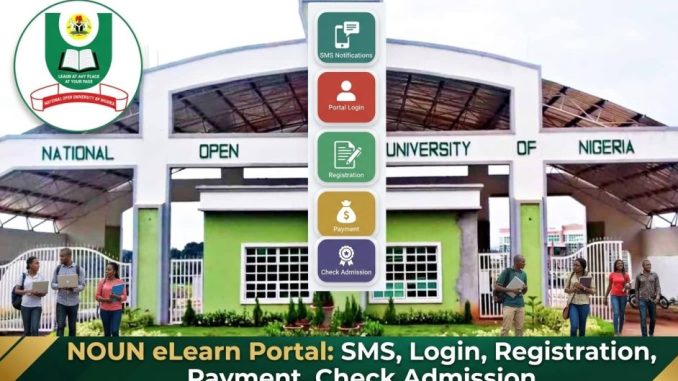
The NOUN SMS (Student Management System) Portal is the official online platform for students of National Open University of Nigeria (NOUN). It provides access to various academic services, including course registration, payment of fees, admission verification, and more. The portal enables both undergraduate and postgraduate students to manage their academic activities from anywhere with an internet connection.
Many students and prospective applicants search for the NOUN eLearn portal for registration, checking admission status, making payments, and accessing other vital academic services.
What Is the NOUN eLearn Portal and How Does It Work?

The NOUN eLearn Portal is an online system designed to streamline and simplify academic processes for students of National Open University of Nigeria (NOUN). Through the portal, students can manage various academic tasks like course registration, viewing grades, accessing learning materials, paying fees, and even checking admission status.
When students log in to the portal, they can access all the services available to them, such as course enrollment, exam schedules, and other resources, using their matriculation number and password.
The official portal can be accessed at:
https://elearn.nou.edu.ng/
Who Can Use the NOUN eLearn Portal?
The portal is designed for various users within the university system. These include:
- Prospective students checking admission status
- Newly admitted students registering for courses
- Returning students managing course registration
- Postgraduate students (if applicable)
- University staff and administrators
Each user has specific access rights, with students primarily using the portal for course registration, fee payments, and academic updates.
How Do You Log In to the NOUN eLearn Portal?
To access the portal, students need their matriculation number and password, which they receive after admission. Here’s how to log in:
- Visit the Noun eLearn Portal
Click Here to login - Click on Student Login
- Enter your Matriculation Number
- Enter your Password
- Click Login
After successful login, students can access their dashboards, which contain information on courses, exam schedules, academic results, and payment status.
Remember to log out when you’re finished, especially on public or shared computers.
How Do New Students Register on the NOUN eLearn Portal?
New students must complete several steps to register on the Noun eLearn Portal. This process typically includes:
- Admission Acceptance
- New students must accept their admission offer via the portal. Click Here to apply
- Profile Activation
- After accepting the offer, students activate their account by entering required personal information.
- Payment of Acceptance Fees
- The portal generates an acceptance fee invoice, which students must pay.
- Course Registration
- Once activated, students can register for the courses they will be studying during the semester.
- Complete Bio-data
- Students are required to provide additional personal details, including emergency contacts and next of kin.
After completing these steps, students will be fully registered and can start their studies.
How Do You Pay School Fees on the NOUN eLearn Portal?
The Noun eLearn Portal allows students to pay their school fees and any other relevant charges securely and conveniently online. Here’s how to make a payment:
- Log into the Noun eLearn Portal
- Navigate to the Payments section
- Generate the school fee invoice
- Choose a payment method (bank transfer, card payment, etc.)
- Complete the payment
- Print your payment receipt for your records
Once payment is completed, the portal will update your account status to show that fees have been paid. Always keep your payment receipts for future reference.
How Do You Check Noun Admission Status?
Prospective students who have applied to National Open University of Nigeria can check their admission status through the portal.
Steps to check:
- Visit the Noun eLearn Portal
https://www.nou.edu.ng/ - Click on Admission Status
- Enter your Application Number or JAMB Registration Number
- Click Check Admission Status
The portal will display whether admission has been offered, and if the application is still under review.
Admitted candidates should proceed with acceptance and course registration once the status is confirmed.
What Should You Do If You Forget Your Noun eLearn Portal Password?
If you forget your Noun eLearn Portal password, there is a simple process to reset it. Here’s how:
- Visit the portal login page
Click Here - Click Forgot Password
- Enter your Matriculation Number or Registered Email Address
- Follow the instructions sent to your email to reset your password
- Create a new password
Once your password has been reset, you can log in to the portal using your new credentials.
Make sure to choose a strong and memorable password and avoid sharing your login information with others.
What Common Problems Occur on the NOUN eLearn Portal?
Students may face occasional issues when using the portal. Common problems include:
Incorrect or delayed responses
Sometimes, there may be delays in receiving responses due to network issues or server delays.
SMS not being delivered
This can happen due to poor network reception or incorrect SMS codes.
Payment not reflecting
Payment confirmation via SMS may take a few hours or days to process, especially during peak times like registration periods.
Portal downtime
Scheduled maintenance can make the portal temporarily unavailable. It’s always a good idea to check the portal status via official announcements or social media channels.
For persistent issues, students can contact the NOUN ICT support for troubleshooting.
1 Trackback / Pingback