
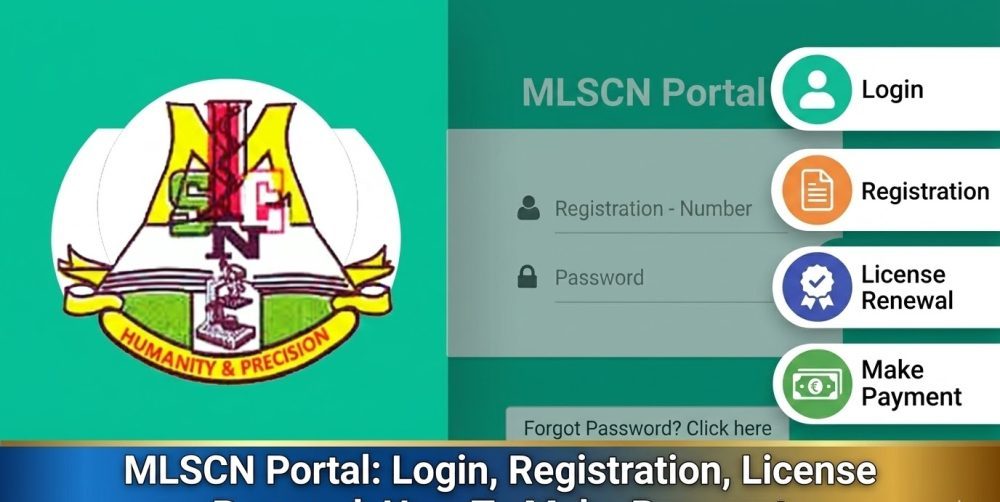

The MLSCN portal is the official online platform created by the Medical Laboratory Science Council of Nigeria for managing licensing, registration, and professional records of medical laboratory scientists and technicians in Nigeria. It allows practitioners to complete important professional tasks online without visiting the council office.
Many Nigerian health professionals are searching for the portal because licensing, annual practice fee payments, certificate verification, and registration processes are now handled digitally through the platform.
What Is the MLSCN Portal and How Does It Work?
The MLSCN portal is a secure online system used by the Medical Laboratory Science Council of Nigeria (MLSCN) to manage professional records and regulatory services for medical laboratory practitioners.
The portal works as a centralized database where registered professionals can:
- Create and manage their professional profiles
- Renew annual practice licenses
- Pay professional fees
- Verify certificates and registration status
- Update personal and professional details
- Access important regulatory information
Instead of visiting MLSCN offices physically, most services can now be completed online through the portal.
The system also helps the council maintain accurate records of licensed professionals practicing in Nigeria. Hospitals, laboratories, and other health institutions often rely on MLSCN verification through the portal to confirm that a practitioner is properly licensed.
Who Can Use the MLSCN Portal?
The MLSCN portal is designed for individuals and organizations connected to medical laboratory science in Nigeria.
Typical users include:
- Medical Laboratory Scientists
- Medical Laboratory Technicians
- Medical Laboratory Assistants
- Students graduating from accredited MLS programs
- Laboratory employers verifying licenses
- Training institutions interacting with MLSCN
For professionals, the portal becomes the main channel for managing licensing requirements and maintaining active practice status.
Students and newly qualified graduates may also use the portal when beginning the registration process required to practice legally in Nigeria.
How to Access the MLSCN Portal Login Page
To use the platform, users must first access the official MLSCN portal.
Login is done through the official MLSCN website:
After opening the website, users typically select the portal login section where registered practitioners enter their credentials.
The basic login process usually requires:
- Registered email address
- Password
- Sometimes additional verification information
Once logged in, users gain access to their personal dashboard where all professional services are available.
The dashboard may display details such as:
- License status
- Registration number
- Payment records
- Renewal reminders
- Personal profile information
Keeping this account active and updated is important for maintaining professional compliance.
How Do You Register on the MLSCN Portal Step by Step?
New users must create an account before accessing MLSCN services.
Registration normally follows a structured process.
Step 1: Visit the Official Portal
Open the MLSCN website and navigate to the portal registration section.
Step 2: Create a User Account
Applicants are required to enter basic information such as:
- Full name
- Email address
- Phone number
- Professional category
- Registration number (if already issued)
An email verification step may also be required.
Step 3: Complete Profile Details
After the account is created, users usually provide additional information including:
- Educational qualifications
- Training institution
- Professional experience
- National identification details
These details help MLSCN maintain accurate records.
Step 4: Upload Required Documents
Applicants may be required to upload scanned copies of documents such as:
- Degree or diploma certificate
- NYSC certificate or exemption
- Passport photograph
- Identification documents
Files should be clear and correctly labeled.
Step 5: Submit Application
After filling out all sections, users submit their registration for review.
MLSCN officials review the information before approving or requesting corrections.
Once approved, the user account becomes fully active.
How Do Medical Laboratory Scientists Renew Their MLSCN License?
One of the most common reasons professionals use the MLSCN portal is to renew their annual practicing license.
In Nigeria, medical laboratory professionals must renew their license regularly to remain eligible to practice.
The renewal process generally involves:
- Logging into the portal
- Opening the license renewal section
- Confirming personal and professional details
- Paying the required annual practice fee
- Submitting the renewal request
Once the payment is confirmed and the renewal is processed, the updated license status appears in the user’s account.
Some practitioners may also be able to download or print proof of renewal from the portal.
Failure to renew on time may affect professional practice or employment in regulated medical facilities.
What Services Are Available on the MLSCN Portal?
The MLSCN portal offers several professional services in one place.
Common services available include:
License Renewal
Professionals can pay their Annual Practice Fee (APF) and renew their license online.
Professional Registration
New graduates can begin the process required to become licensed practitioners.
Certificate Verification
Hospitals and employers may verify the authenticity of a practitioner’s registration.
Profile Management
Users can update personal information such as:
- Contact details
- Employment information
- Academic qualifications
Payment Records
The portal keeps records of:
- Fees paid
- Transaction history
- Renewal receipts
Having these records available online helps professionals track their regulatory compliance.
What Are the Best Practices for Using the MLSCN Portal?
Using the MLSCN portal effectively requires careful attention to accuracy and security.
Professionals should follow some simple practices.
First, ensure that all personal and professional information entered is accurate. Incorrect details may delay approval of applications or license renewals.
Second, upload clear and properly formatted documents. Low quality or unreadable files can lead to rejection or requests for resubmission.
Third, keep login credentials secure. Avoid sharing portal passwords with others, especially when accessing the portal on shared devices.
Fourth, check the portal regularly. Important notifications about renewal deadlines or regulatory updates may appear on the dashboard.
Finally, update profile information whenever professional details change, such as employment location or additional qualifications.
What Are Common MLSCN Portal Problems and How Can They Be Solved?
Users sometimes experience difficulties when using the portal. Many of these problems have simple solutions.
Login Issues
If a user cannot log in, the first step is to verify that the correct email and password are entered.
If the password has been forgotten, the Forgot Password option can usually reset the account.
Payment Errors
Online payment issues may occur if network interruptions happen during transactions.
In such cases, users should check the payment history section before attempting another payment.
Document Upload Problems
Large file sizes or unsupported formats may prevent uploads.
Converting documents to common formats such as PDF or JPG often solves the issue.
Account Verification Delays
If registration approval takes longer than expected, it may be due to incomplete information or pending verification by MLSCN officials.
Checking the application status regularly helps track progress.
Is the MLSCN Portal Safe for Professional Data?
The MLSCN portal is designed to store sensitive professional information such as license numbers and identification details.
For that reason, data security is important.
Users should take personal steps to protect their accounts.
These include:
- Using strong passwords
- Avoiding public computers when accessing the portal
- Logging out after each session
- Keeping personal information private
Institutions that manage laboratory staff records should also ensure that only authorized personnel access verification tools.
Maintaining security helps protect both professional records and regulatory integrity.
How Do Employers Use the MLSCN Portal for Verification?
Healthcare institutions in Nigeria often use the MLSCN portal to confirm whether a laboratory professional is licensed.
Verification helps hospitals ensure that staff meet regulatory standards.
Employers may check:
- Registration number
- License validity
- Professional category
- Registration status
This process helps prevent the employment of unlicensed practitioners and strengthens patient safety standards in medical laboratories.
Because laboratory results play a major role in medical diagnosis, regulatory oversight through MLSCN verification is essential.
How Do Students Prepare for MLSCN Registration After Graduation?
Students studying Medical Laboratory Science in Nigeria usually interact with MLSCN after completing their academic training.
Preparation for registration should begin before graduation.
Important steps include:
- Ensuring graduation from an accredited MLS program
- Completing required professional training
- Gathering necessary documents early
- Monitoring MLSCN announcements
Students should also confirm their eligibility requirements through their training institution or MLSCN guidelines.
Early preparation helps avoid delays when applying for professional registration.
How Do You Measure Success When Using the MLSCN Portal?
Using the MLSCN portal successfully means maintaining an active and compliant professional status.
Professionals can evaluate their portal activity using a few simple indicators.
A properly managed MLSCN account should show:
- Active license status
- Completed annual fee payments
- Accurate profile information
- Verified professional registration
- Updated professional records
Checking these details regularly helps ensure that no regulatory requirements are missed.
For many medical laboratory scientists in Nigeria, the portal has become an essential tool for managing their professional career.
Keeping the account updated and responding promptly to renewal requirements helps practitioners remain in good standing with the Medical Laboratory Science Council of Nigeria.