
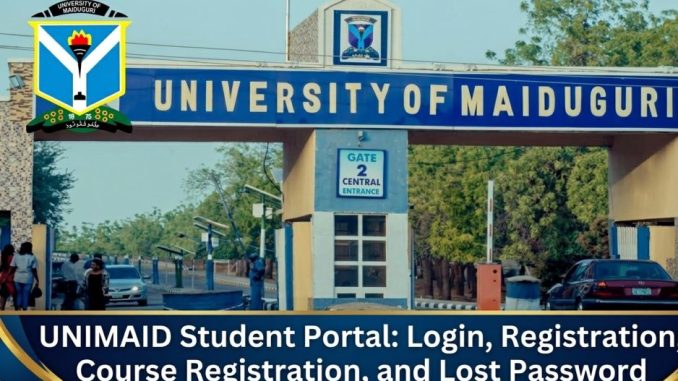

The UNIMAID student portal is the official online platform used by the University of Maiduguri for managing student academic activities. Through this portal, students can register courses, check results, pay school fees, update personal records, and access other academic services.
Many students search for the portal because universities in Nigeria now rely heavily on digital systems to manage admissions, registration, and academic records.
What Is the UNIMAID Student Portal and How Does It Work?
The UNIMAID student portal is an online academic management system created by the University of Maiduguri to support both new and returning students.
It works as a centralized system where students log in with their personal credentials to manage different parts of their academic journey.
After logging in, students can perform tasks such as:
- Course registration
- Checking semester results
- Paying school fees
- Printing admission letters
- Updating personal information
- Viewing academic records
The portal helps reduce paperwork and allows students to complete important tasks from anywhere without visiting university offices.
Universities across Nigeria are adopting similar portals to improve efficiency, transparency, and student access to academic services.
How to Access the UNIMAID Student Portal Login Page
Students can access the official portal through the University of Maiduguri website.
Login is available here:
To log in, students usually need:
- Matriculation number or username
- Password
After entering these details, the system opens the student dashboard where all academic services are available.
Students should always ensure they are using the official portal to avoid entering personal information on unofficial websites.
Who Can Use the UNIMAID Student Portal?
The portal is designed mainly for individuals connected to academic activities at the university.
Typical users include:
- Newly admitted students
- Returning undergraduate students
- Postgraduate students
- Academic and administrative staff
- Applicants checking admission status
Each user type may see different features depending on their role within the university.
For example, applicants may only access admission-related services, while registered students can access full academic services.
How Do New Students Register on the UNIMAID Student Portal?
After gaining admission into the University of Maiduguri, new students must complete portal registration to activate their academic account.
The process usually involves several steps.
Step 1: Access the Portal
Visit the official student portal and locate the section for newly admitted students.
Step 2: Verify Admission Details
Students typically enter information such as:
- JAMB registration number
- Admission number
- Surname or date of birth
This confirms that the admission record exists in the university database.
Step 3: Create a Student Account
Once verified, students create login credentials including:
- Username or matriculation number
- Password
- Email address
These credentials will be used for future logins.
Step 4: Complete Bio Data Information
Students are required to fill in personal information such as:
- Full name
- State of origin
- Local government area
- Contact details
- Guardian information
Accurate details are important because they become part of the student’s permanent academic record.
Step 5: Upload Required Documents
Some students may be required to upload documents like:
- Passport photograph
- Admission letter
- Birth certificate or declaration of age
- Educational certificates
After submission, the profile becomes active.
How Do Students Register Courses on the UNIMAID Portal?
Course registration is one of the most important tasks students perform on the UNIMAID student portal.
Students usually complete this process at the beginning of every semester.
The basic process includes:
- Logging into the portal
- Navigating to the course registration section
- Selecting the appropriate semester
- Choosing required and elective courses
- Confirming the course list
- Submitting the registration
After submission, students can print a course registration slip.
It is important to check the course list carefully before submitting because incorrect selections can affect graduation requirements.
Students should also confirm their courses with their academic adviser when necessary.
How Do Students Check Results on the UNIMAID Portal?
The portal also allows students to monitor their academic performance.
To check results, students normally:
- Log into the portal
- Open the results section
- Select the academic session
- Choose the semester
- View or print results
Results displayed may include:
- Course titles
- Credit units
- Grades
- Grade points
- GPA and cumulative GPA
Students should review results carefully and report any errors through the appropriate university channels.
How Do You Reset a Forgotten UNIMAID Portal Password?
Sometimes students forget their login credentials. The portal usually provides a simple password recovery process.
Students can reset their password through the portal:
https://www.umstad.online/
The typical process includes:
- Selecting the Forgot Password option
- Entering a registered email or matriculation number
- Receiving a password reset link or code
- Creating a new password
Students should choose a secure password that is easy for them to remember but difficult for others to guess.
What Services Are Available on the UNIMAID Student Portal?
The UNIMAID student portal offers a range of academic and administrative services.
Common services include:
School Fee Payment
Students can pay school fees and other charges through the portal.
Course Registration
Each semester, students select their courses online.
Result Checking
Students can view their academic results once they are released.
Admission Services
Applicants can check admission status and print admission letters.
Bio Data Updates
Students can update personal details when necessary.
Academic Records
The portal stores a record of a student’s academic history.
These features make the portal an essential part of student life at the university.
What Are the Best Practices for Using the UNIMAID Portal?
Students should follow a few simple practices when using the portal.
First, always keep login credentials private. Sharing passwords can lead to unauthorized access to personal records.
Second, register courses before the deadline. Late registration may attract penalties or prevent course enrollment.
Third, confirm all personal information entered on the portal. Errors can create problems during graduation clearance.
Fourth, keep copies of important documents printed from the portal, such as course forms and payment receipts.
Finally, access the portal using secure internet connections whenever possible.
What Are Common UNIMAID Portal Problems and How Can They Be Fixed?
Students sometimes experience issues when using the portal. Many of these problems can be resolved easily.
Login Problems
Incorrect passwords or usernames are the most common causes. Using the password reset option often solves this issue.
Slow Portal Access
Heavy traffic during registration periods can slow the system. Trying again during off peak hours may help.
Payment Errors
Students should confirm that payments were completed successfully before attempting another transaction.
Course Registration Errors
Selecting the wrong courses may require correction through the academic department.
When problems persist, students may need assistance from the university ICT support unit.
Is the UNIMAID Student Portal Safe for Student Data?
Student portals store sensitive academic and personal information, so security is important.
Students should take steps to protect their accounts.
Recommended practices include:
- Using strong passwords
- Avoiding login on public computers
- Logging out after each session
- Keeping personal information confidential
Universities also implement security measures to protect student data stored on their systems.
How Do Students Know They Are Using the Official UNIMAID Portal?
Students should always confirm that they are using the correct portal address.
The official student portal is:
Using unofficial websites can expose login credentials or personal data.
Before entering any login information, students should confirm that the website address matches the official university domain.
Accessing the correct portal ensures that all academic activities, payments, and records remain secure and properly recorded within the University of Maiduguri system.
Be the first to comment